
Slate

Designing AI-assisted decision-making into an enterprise project management dashboard

Designed the end-to-end MVP for an automated social engagement platform.

Product design, Interaction design, AI-assisted design, Prototyping

Product design, Interaction design,
Brand design, Prototyping

2025

Introduction

Introduction

Context

Work in large organizations is scattered. Priorities are unclear, resources live across multiple tools, and managers lack intelligent systems to surface risks early.


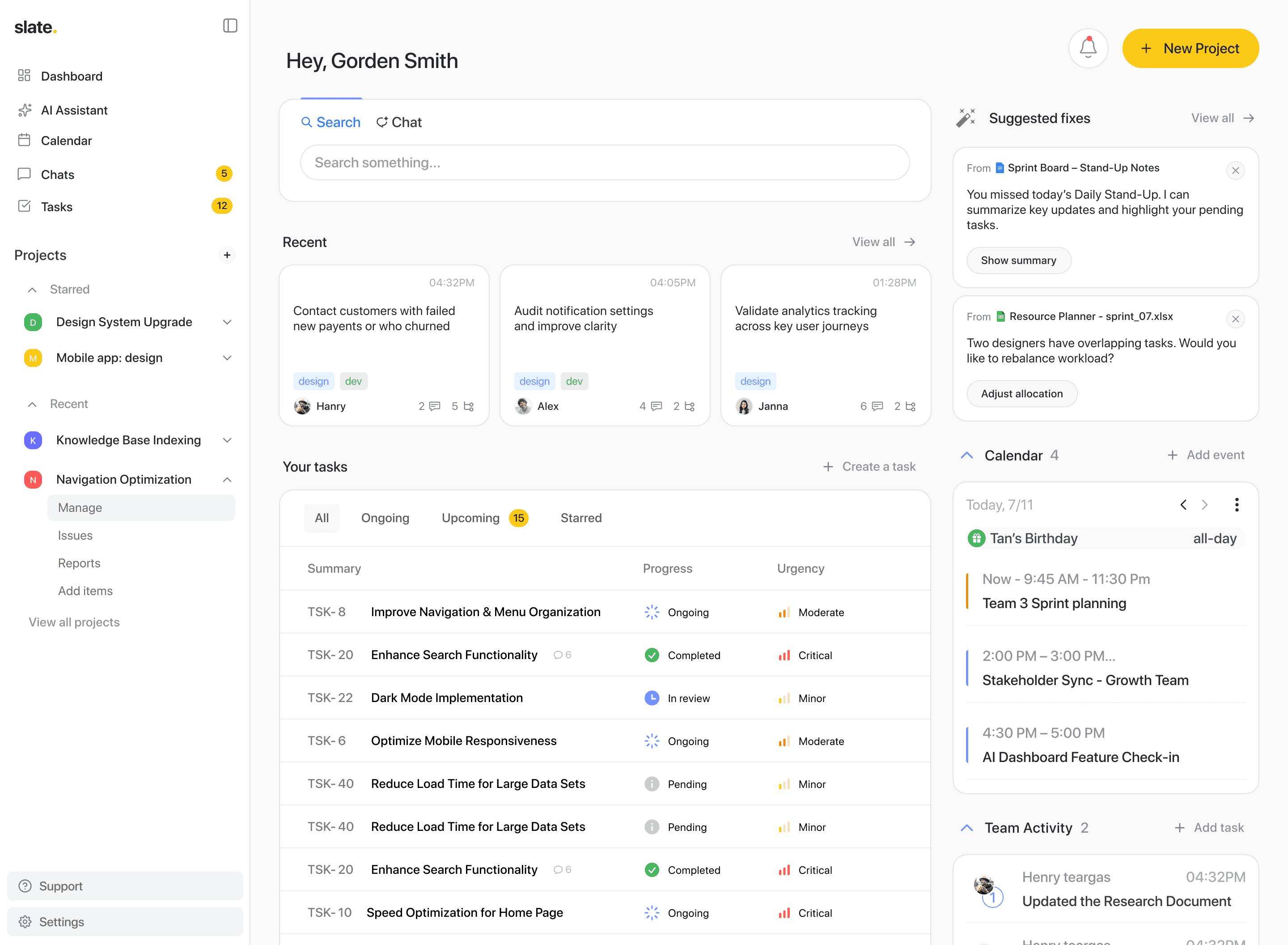
This project explores how AI can detect sprint misalignments, surface resources across disconnected tools, and generate stakeholder reports, all without the user having to ask.

Work in large organizations is scattered. Priorities are unclear, resources live across multiple tools, and managers lack intelligent systems to surface risks early.


This project explores how AI can detect sprint misalignments, surface resources across disconnected tools, and generate stakeholder reports, all without the user having to ask.

Timeline

5 weeks

5 weeks

My Role

Co-led (2 designer) the end-to-end UX process, from research and competitive analysis through to interaction design and prototyping.

Co-led (2 designer) the end-to-end UX process, from research and competitive analysis through to interaction design and prototyping.

Problem

Problem

We didn't try to redesign the entire enterprise ecosystem. We identified 3 core workflow gaps where AI could meaningfully close the loop.

We didn't try to redesign the entire enterprise ecosystem. We identified 3 core workflow gaps where AI could meaningfully close the loop.

We didn't try to redesign the entire enterprise ecosystem. We identified 3 core workflow gaps where AI could meaningfully close the loop.

Knowledge workers spend ~20–30% of their workweek searching for information (McKinsey).

When documents, chats, and task updates are scattered across tools, visibility drops and execution slows.

Knowledge workers spend ~20–30% of their workweek searching for information (McKinsey).

When documents, chats, and task updates are scattered across tools, visibility drops and execution slows.

Project failure is often linked to poor visibility and unclear ownership.

According to PMI, 37% of projects fail due to lack of clearly defined goals and milestones, and misaligned priorities remain a top contributor to missed deadlines.

Project failure is often linked to poor visibility and unclear ownership.

According to PMI, 37% of projects fail due to lack of clearly defined goals and milestones, and misaligned priorities remain a top contributor to missed deadlines.

Managers spend up to 23% of their time writing status reports and preparing updates for stakeholders, time spent compiling information that already exists across their tools. (McKinsey, The social economy report)

Managers spend up to 23% of their time writing status reports and preparing updates for stakeholders, time spent compiling information that already exists across their tools. (McKinsey, The social economy report)

Solution

Solution

How did we solve the problem?

How did we solve the problem?

How did we solve the problem?

Designed three end-to-end flows for sprint alignment, resource lookup, and report generation, and embedded AI directly into each one.

  1. Every tool. One search. Conflicts surfaced instantly

  2. Sprint misalignments caught before the meeting.

  3. Reports generated from data that already exists.

Designed three end-to-end flows for sprint alignment, resource lookup, and report generation, and embedded AI directly into each one.

  1. Every tool. One search. Conflicts surfaced instantly

  2. Sprint misalignments caught before the meeting.

  3. Reports generated from data that already exists.

Note -

View the site on a desktop/laptop to watch the prototype walkthrough.

Primary research

Understanding the users

Understanding the users

Understanding the users

Before designing any flow, we needed to understand who was actually feeling the friction. We informally spoke to managers and team members working in fast-moving, tool-heavy environments, and looked for the patterns in where their day broke down.

Before designing any flow, we needed to understand who was actually feeling the friction. We informally spoke to managers and team members working in fast-moving, tool-heavy environments, and looked for the patterns in where their day broke down.

AI-assisted interviews

AI-assisted interviews

AI-assisted interviews

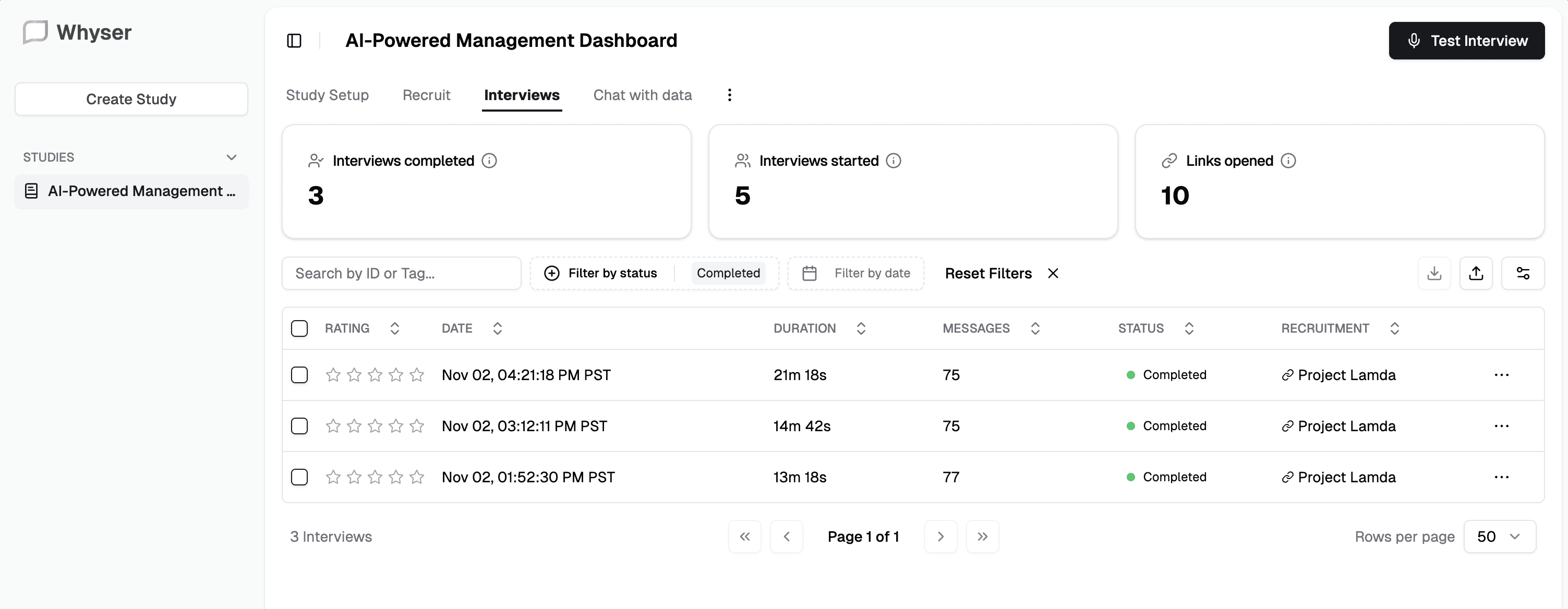
We conducted user interviews through Whyser , using their structured templates and AI-assisted note capture to gather consistent insights across both managers and team members.

The AI helped synthesise responses in real time, making patterns easier to spot across participants without losing the nuance of individual answers.
We conducted user interviews through Whyser , using their structured templates and AI-assisted note capture to gather consistent insights across both managers and team members.

The AI helped synthesise responses in real time, making patterns easier to spot across participants without losing the nuance of individual answers.

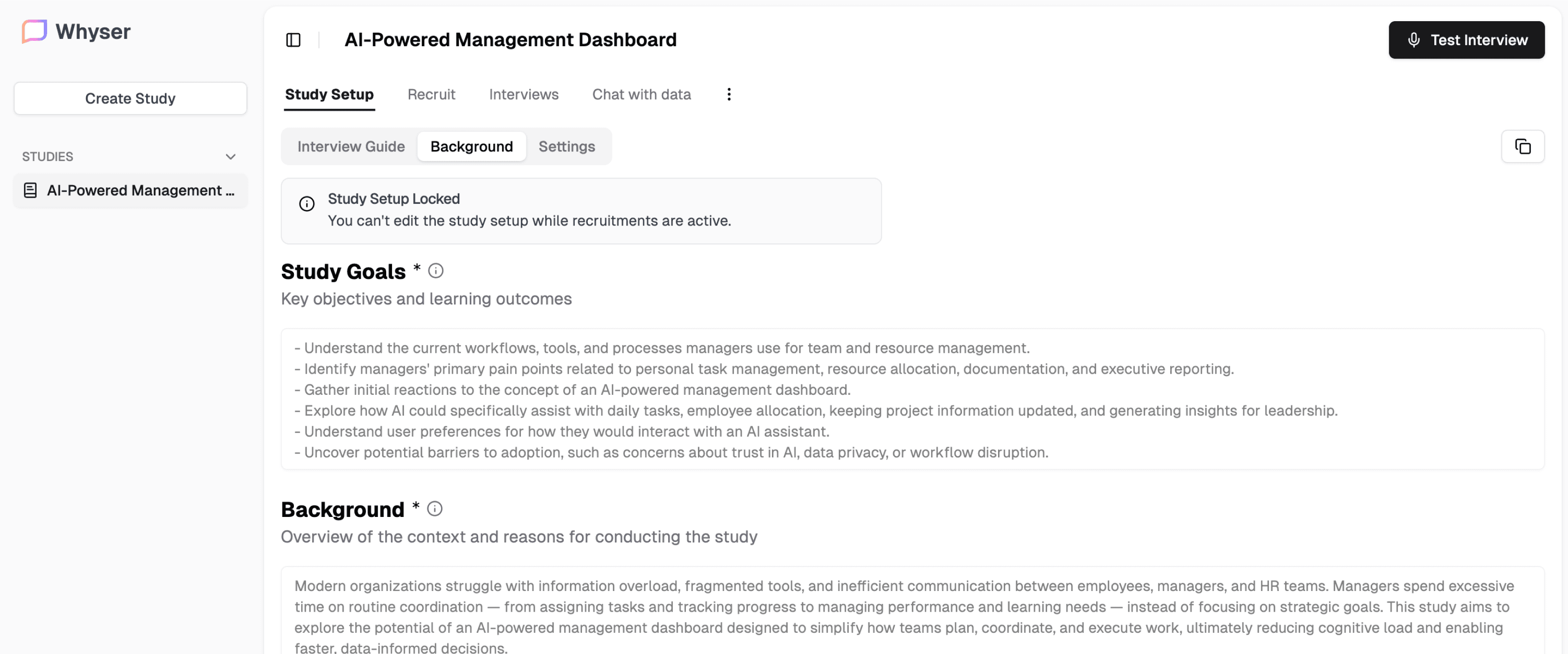
Fig. Whyser study setup showing the interview guide and goals for the AI management dashboard research.


Fig. Whyser study setup showing the interview guide and goals for the AI management dashboard research.

Secondary research

What's already out there?

Competitive
Analysis

What's already out there?

We looked at the tools teams already use, Jira, Glean, Monday.com, Float, and Beautiful.ai, to understand what's working and where users are still left to figure things out themselves.

We looked at the tools teams already use, Jira, Glean, Monday.com, Float, and Beautiful.ai, to understand what's working and where users are still left to figure things out themselves.

What works: Task tracking with status, ownership, and sprint structure.

What's missing for our user: Visibility exists, but spotting misalignments is still on the manager.

What works: Task tracking with status, ownership, and sprint structure.

What's missing for our user: Visibility exists, but spotting misalignments is still on the manager.

What works: Cross-tool search that understands context across Slack, Docs, and Drive.

What's missing for our user: Finds information, but can't act on it without switching context.

What works: Cross-tool search that understands context across Slack, Docs, and Drive.

What's missing for our user: Finds information, but can't act on it without switching context.

What works: Visual boards, workflow automations, basic AI drafting.

What's missing for our user: Automation exists, but doesn't interpret across systems.

What works: Visual boards, workflow automations, basic AI drafting.

What's missing for our user: Automation exists, but doesn't interpret across systems.

What works: Polished, structured report generation with smart layouts.

What's missing for our user: User has to bring their own data, nothing is pulled or suggested.

What works: Polished, structured report generation with smart layouts.

What's missing for our user: User has to bring their own data, nothing is pulled or suggested.

Problem statement

Problem statement

"How might we embed AI directly into the project management workflow so that teams spend less time finding, compiling, and reporting, and more time deciding and acting?"

"How might we embed AI directly into the project management workflow so that teams spend less time finding, compiling, and reporting, and more time deciding and acting?"

Flow #1

Resource Lookup

Resource Lookup

Teams waste time searching across disconnected tools, and even when they find something, they can't tell if it's the right version.

The user searches for a resource and selects which tools to pull from, Drive, Slack, Notion, or all of them. Results surface as document cards, ones with detected issues are flagged with a "Suggested fixes" label. Clicking it reveals the inconsistencies in context. Selecting one opens an AI chat that already knows the problem, no re-explaining needed, just resolution.

Flow #2

Sprint Alignment

Sprint Alignment

Managers often don't know a priority mismatch exists until it's too late to course correct.

The user opens a project, navigates to the Kanban board, and gets a quick read of where things stand. Switching to table view, they notice the AI chat has 2 proactive suggestions waiting. The AI has already identified the imbalance, low-urgency tasks in motion while critical items sit pending. It proposes a redistribution based on actual task data, shows what moves and where, and asks before applying anything.

Flow #3

Report Generation

Report Generation

Writing status reports takes time, even though the data already exists across connected tools.

The user opens the Reports panel and lands on a chat-style interface. AI has already suggested reports based on detected project data. They can generate a suggestion directly or write a custom prompt and build from scratch. A quick configuration step sets how the AI handles text, slide count, and content density. Once generated, every section is revisable individually, rewrite, shorten, add a chart. Changes happen at the component level, not the whole report.

Design System

Building blocks

Building blocks

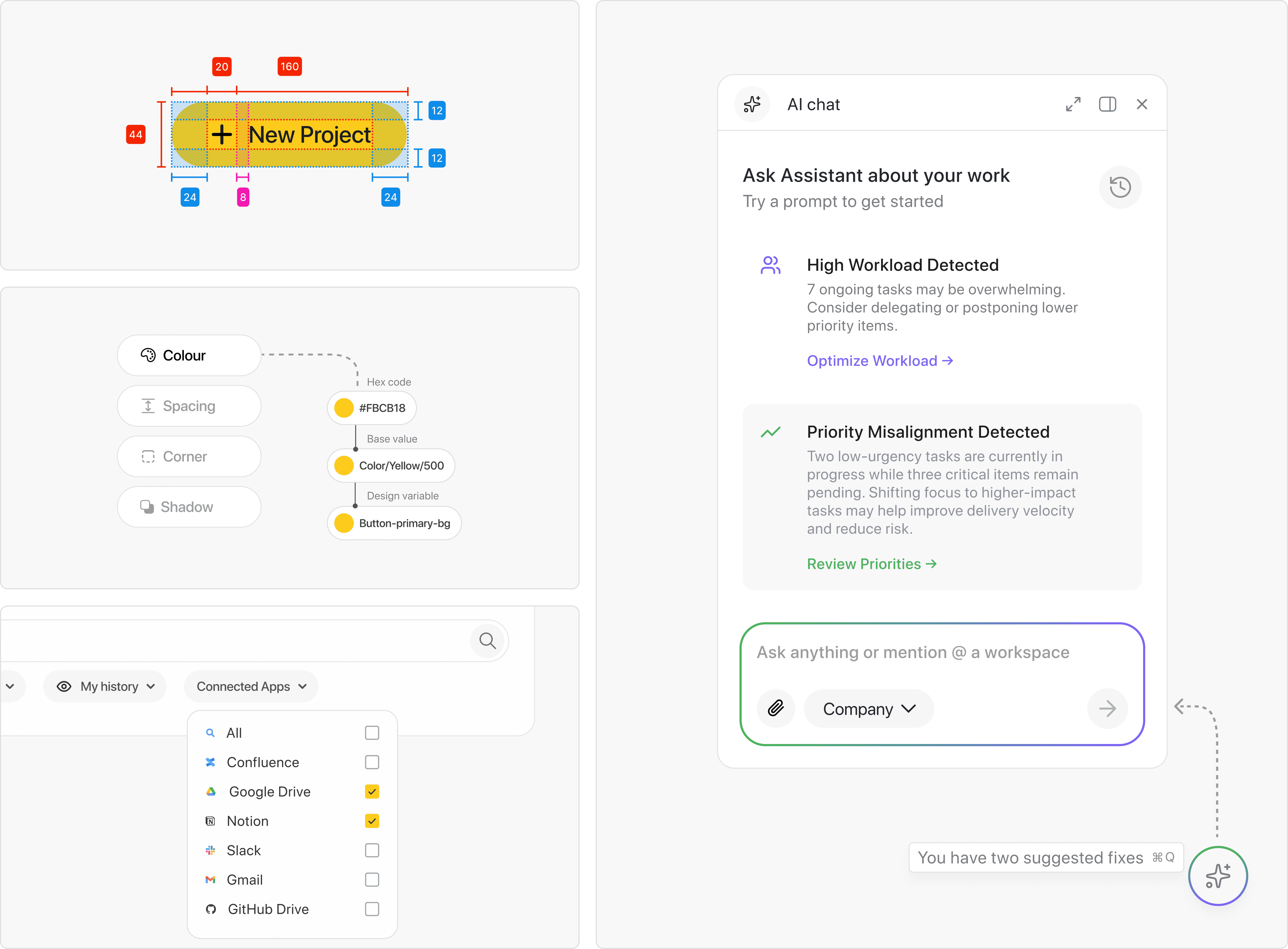
With three flows to design, consistency wasn't optional. So before designing screens, we built the foundation. Tokens for colour, spacing, and type. Components with variants to handle every state, flagged, selected, AI-suggested, loading. Once that was in place, decisions made in Flow 1 carried naturally into Flow 3 without starting from scratch each time.

Fig. Figma design system showing component structure, colour tokens, and UI screens from the project.

Future enhancements

Notification system

A lightweight layer that tells users when something needs attention, without pulling them back into the dashboard unnecessarily.

Notification system

A lightweight layer that tells users when something needs attention, without pulling them back into the dashboard unnecessarily.

Empty and error states

Designed responses for when AI can't find anything, data is missing, or a connected tool goes offline.

Empty and error states

Designed responses for when AI can't find anything, data is missing, or a connected tool goes offline.

Mobile experience

Key alerts and AI suggestions accessible on the go, especially relevant for managers who need sprint visibility outside of their desk.

Mobile experience

Key alerts and AI suggestions accessible on the go, especially relevant for managers who need sprint visibility outside of their desk.

Reflection

Things I learned

Things I learned

Things I learned

This project pushed me to think about AI not as a feature but as a design material, something that needs to be placed intentionally, not just added on top. The hardest part wasn't designing the flows. It was deciding when AI should speak and when it should stay quiet.

Designing with AI is still new territory, there's no established playbook for it yet. A lot of the decisions came from instinct, iteration, and honestly just trying things to see what felt right. That's both the challenge and the interesting part.

This project pushed me to think about AI not as a feature but as a design material, something that needs to be placed intentionally, not just added on top. The hardest part wasn't designing the flows. It was deciding when AI should speak and when it should stay quiet.

Designing with AI is still new territory, there's no established playbook for it yet. A lot of the decisions came from instinct, iteration, and honestly just trying things to see what felt right. That's both the challenge and the interesting part.